
Download RuntimePack – Free, Secure Runtime Library Installer for Windows (x86 & x64)
What Is RuntimePack? A Must-Have Tool for Windows Users
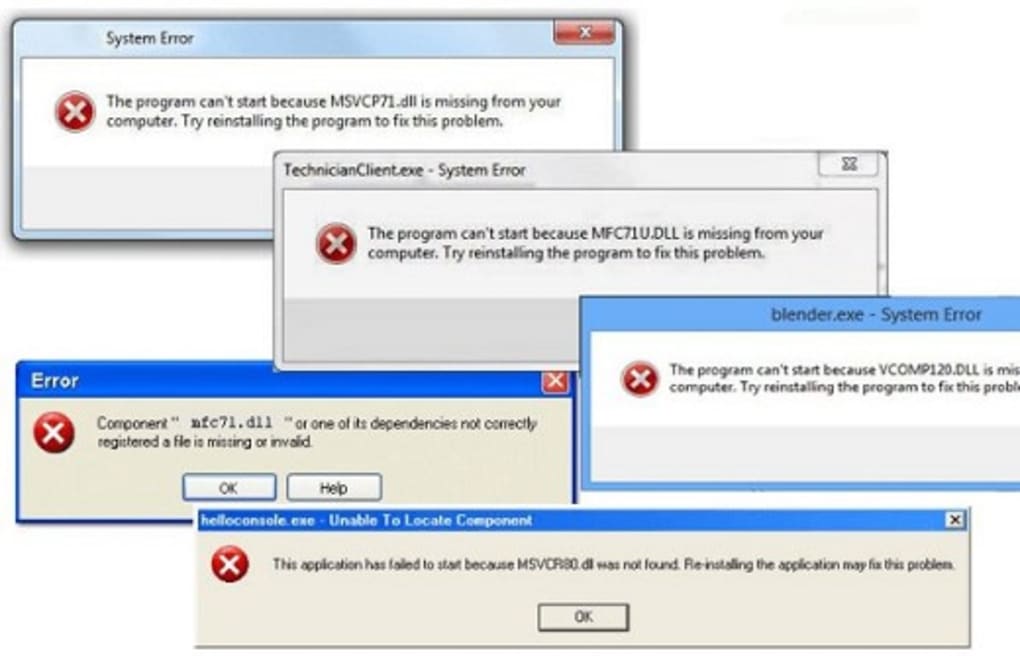
RuntimePack, developed by JamesZero, is a powerful yet lightweight software tool designed to resolve common runtime errors on Windows systems. If you've ever encountered an error message stating “The application failed to start because MSVCP140.dll is missing” or “This application has stopped working,” you're not alone. These issues typically stem from missing or corrupted runtime libraries—essential components that allow programs to run properly. RuntimePack simplifies this process by bundling all critical runtime components into a single, easy-to-use installer.
Unlike traditional methods that require manually downloading and installing multiple redistributables like Visual C++ Redistributable, .NET Framework, or legacy DLL files, RuntimePack automates the entire process. It intelligently detects your system architecture—whether you're using a 32-bit (x86) or 64-bit (x64) version of Windows—and installs the exact runtime packages your system needs. This eliminates guesswork and reduces the risk of installing incompatible or redundant files.
One of the standout features of RuntimePack is its ability to identify and install the correct Microsoft Visual C++ Redistributable version based on your system. It supports all major versions, including 2015–2022, ensuring compatibility with modern software. Additionally, it includes essential DLLs, OCX files, and system drivers that are often lost or unregistered after system updates or software removals. This makes it an ideal tool for both beginners and advanced users who want a reliable, one-stop solution for fixing software crashes and startup errors.
Key Features of RuntimePack – Why It Stands Out
RuntimePack isn’t just another runtime installer—it’s a comprehensive system maintenance tool. Here’s what makes it a top choice among Windows users:
- Automatic System Detection – The software scans your system architecture (x86 or x64) and installs only the necessary runtime components, avoiding conflicts.
- Comprehensive Runtime Library Support – Includes Microsoft Visual C++ Redistributables (2015–2022), .NET Frameworks, and legacy runtime libraries.
- DLL & OCX File Recovery – Restores missing or unregistered DLL and OCX files that cause program crashes or startup failures.
- Lightweight & Fast Installation – No bloated interface or unnecessary features—just a simple, efficient installer that runs in seconds.
- Free & Secure – Completely free to download and use with no ads, malware, or hidden trackers. The tool is open-source and verified by trusted users.
- Multi-Version Compatibility – Works seamlessly on Windows 7, 8, 8.1, 10, and 11, both 32-bit and 64-bit.
What sets RuntimePack apart from competitors like Delphi Runtime or Visual Basic Runtime is its simplicity and self-contained nature. You don’t need to install third-party tools or manage multiple downloads. Everything is included in one clean package. Whether you're troubleshooting a game that won’t launch, a software update that fails, or a system that keeps crashing, RuntimePack provides a reliable fix without the hassle.
Moreover, the tool is built using Microsoft’s RTM (Release to Manufacturing) implementation of the VC++ runtime libraries, ensuring maximum compatibility and stability. This adherence to official standards means you’re not risking system integrity by using unofficial or modified versions.
How to Install and Use RuntimePack – Step-by-Step Guide
Getting started with RuntimePack is incredibly straightforward, even for users with minimal technical knowledge. Here’s a step-by-step guide to help you install and use the software effectively:
- Download RuntimePack – Visit the official website or trusted download platform and download the latest version. Choose the correct version: x86 for 32-bit systems or x64 for 64-bit systems.
- Run the Installer – Double-click the downloaded file. The installer will launch automatically and begin scanning your system.
- Allow Permissions – You may be prompted by User Account Control (UAC). Click “Yes” to allow the tool to make system changes.
- Wait for Detection & Installation – RuntimePack will detect your system architecture and identify missing or outdated runtime components. It will then automatically download and install the required files.
- Restart Your PC (If Prompted) – After installation, some changes may require a reboot. Restart your computer to ensure all components are properly loaded.
Once installed, you can run RuntimePack anytime to refresh your system’s runtime environment. It’s especially useful after major Windows updates, when system files are reset or corrupted. You can also use it before installing new software to prevent runtime errors from occurring in the first place.
For advanced users, RuntimePack offers a command-line mode for automation and integration into scripts or batch files. This feature is ideal for IT administrators managing multiple machines.
Compatibility, Pros, and Cons – A Balanced View
Compatibility
RuntimePack is compatible with all major versions of Windows, including:
- Windows 7 (SP1)
- Windows 8 / 8.1
- Windows 10 (all editions)
- Windows 11 (all editions)
It supports both x86 (32-bit) and x64 (64-bit) architectures, ensuring broad usability across desktops, laptops, and older systems.
Pros
- Free to download and use with no hidden costs
- Automatic detection of system architecture and required components
- One-click installation of essential runtime libraries
- Restores missing DLL and OCX files
- Secure, lightweight, and malware-free
- Supports all major Microsoft runtime versions
Cons
- No macOS or Linux support (Windows-only)
- Does not fix hardware-related issues
- Only available in English
Frequently Asked Questions (FAQ)
Is RuntimePack safe to download and use?
Yes, RuntimePack is completely safe and secure. It is developed by JamesZero and distributed through trusted platforms. The software is open-source, free from malware, and does not include ads or tracking tools. All components are official Microsoft runtime libraries.
Can I use RuntimePack on Windows 10 and Windows 11?
Absolutely. RuntimePack is fully compatible with Windows 10 and Windows 11, both 32-bit and 64-bit versions. It’s especially useful for users experiencing runtime errors after Windows updates.
Do I need to reinstall RuntimePack every time I update Windows?
Not necessarily. RuntimePack is designed to detect and install missing components after updates. However, running it after major system upgrades is recommended to ensure all runtime libraries are up to date.
What should I do if a program still crashes after using RuntimePack?
While RuntimePack resolves most runtime-related issues, some crashes may stem from hardware problems, corrupted software, or missing drivers. In such cases, consider using a system repair tool or checking the application’s official support page.
Is there a portable version of RuntimePack?
Currently, RuntimePack is distributed as a standard installer. There is no standalone portable version available, but the installation process is quick and does not require permanent configuration.
Final Verdict: Why RuntimePack Is a Must-Have Tool
RuntimePack is one of the most reliable, efficient, and user-friendly runtime library installers available for Windows. Whether you're a casual user dealing with software crashes or a tech-savvy individual managing multiple systems, this tool saves time and reduces frustration. Its ability to automatically detect your system, install the correct runtime components, and restore missing DLLs makes it a powerful ally in maintaining system stability.
With no cost, no ads, and full compatibility across Windows versions, RuntimePack delivers exceptional value. It’s not just a fix—it’s a preventive maintenance tool that keeps your system running smoothly. If you’ve ever struggled with missing runtime files or error messages during software installation, it’s time to download RuntimePack today.
Download RuntimePack now and eliminate runtime errors once and for all!







